Sample intake
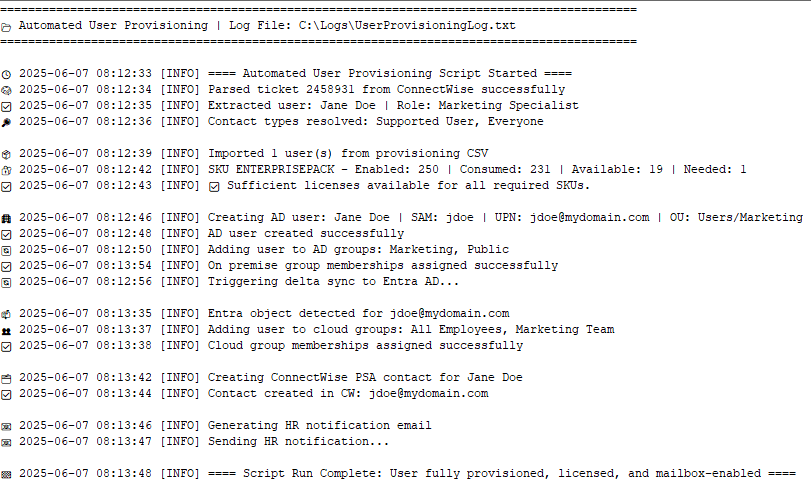
Structured new hire data from a PSA ticket—licenses and groups assigned from role-based templates.
Tool workflow
Lightweight automation that prepares new users across AD, Microsoft 365, and your PSA—based on structured intake info.
Pulls info from an internal ticket or form, confirms required fields, then provisions the account from a standardized onboarding map.
Runs securely from your IT server or admin station using credentials you control.
Shared mailboxes, welcome emails, password handoff docs—happy to extend the workflow.
Ask about add-onsStructured new hire data from a PSA ticket—licenses and groups assigned from role-based templates.
Tailored to each environment. Requires access to Active Directory, Microsoft 365, and your PSA or ticketing platform.